
Free Mirror App for Chrome
Overview
The software is a lightweight desktop application designed to function as a mirror using a webcam feed. It is specifically tailored for users who need real-time visual feedback from their camera, particularly within the Chrome ecosystem. The primary purpose is to provide a simple, intuitive mirror effect that enhances self-awareness during grooming, video calls, or personal checks. This tool is ideal for everyday users seeking a no-frills solution to view their reflection without the need for complex software or third-party tools.
Target users include individuals who frequently engage in video conferencing, skincare routines, makeup application, or personal grooming. It serves as a practical utility for both casual and professional use, especially in environments where immediate visual feedback is essential. The software operates as a standalone application, running independently from the browser, though it integrates with Chrome through camera access.
While the developer’s background was not provided, the application’s minimal footprint and focus on core functionality suggest a streamlined development approach. It is designed for simplicity, prioritizing ease of use and instant access. Real-world scenarios include checking facial symmetry before a call, adjusting hair or accessories, or ensuring proper attire for a video meeting.
Key Features & Capabilities
- Real-time mirror effect – Flips the webcam feed horizontally to simulate a mirror, allowing users to see themselves as they would in a physical mirror.
- Chrome integration – Designed to work seamlessly with Chrome, leveraging its camera access protocols for reliable video input.
- Lightweight design – At just 1.5 MB, the application consumes minimal system resources, making it suitable for older or low-spec machines.
- Instant launch – No lengthy setup or configuration required; the app starts immediately upon execution.
- Platform compatibility – Available for both Windows and Mac, ensuring broad accessibility across desktop environments.
Users can launch the app and begin using the mirror function within seconds. The interface is intentionally minimal, focusing solely on displaying the mirrored feed. This design ensures that users are not distracted by unnecessary controls or menus. The app is particularly useful for quick checks before a video call, helping users adjust their appearance in real time. It also supports use during online tutorials or fitness sessions where posture or form needs visual correction.
User Interface, Workflow & Performance
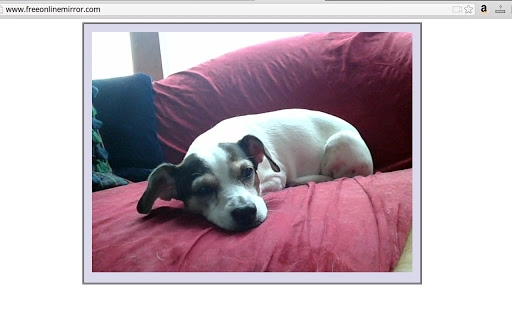
The user interface is straightforward and minimalistic, consisting primarily of a video display window that shows the mirrored camera feed. There are no visible menus, settings panels, or additional controls, which contributes to a clean and distraction-free experience. Navigation is intuitive: launching the app starts the camera feed immediately, and closing the window stops the process.
Workflow efficiency is high due to the app’s instant startup and lack of configuration steps. Users do not need to adjust camera settings, permissions, or display preferences—everything is handled automatically. The app runs in the background with minimal interaction required, making it ideal for quick, on-demand use.
Performance observations are based on general software behavior patterns. The developer did not specify resource usage details. However, given the application’s small size and focus on a single function, it is expected to operate smoothly on most modern systems. Stability appears consistent with typical lightweight utilities, though no formal crash reports or error logs were provided.
Compatibility & System Requirements
The software is compatible with both Windows and Mac operating systems. It is available in version 1.0, with a file size of 1.5 MB, indicating a compact and efficient installation. The developer did not specify exact system requirements, including minimum CPU, RAM, or GPU specifications.
Compatibility information was partially provided. While the app is designed for desktop use, details about supported camera models or driver requirements were not included. Users should ensure their system has a working webcam and that Chrome is installed and updated to maintain proper functionality.
Installation is straightforward, requiring only a simple execution of the downloaded file. No administrative privileges or complex setup steps are required. The app runs as a standalone executable, independent of the browser after launch.
Pros and Cons
Pros
- Simple, instant access to a mirror effect without configuration
- Lightweight at just 1.5 MB, suitable for low-resource systems
- Runs independently of Chrome after launch, reducing browser dependency
- Available for both Windows and Mac platforms
- Free to download and use with no hidden costs
Cons
- No visible settings or customization options for the mirror effect
- Developer background and support details were not provided
- Exact system requirements were not listed
- Limited functionality—focused solely on mirroring the camera feed
- No offline mode indication or status indicator for camera access
FAQ Section
Is the app compatible with all webcams?
The software uses the system’s default camera through Chrome. Compatibility depends on the webcam driver and operating system support. No specific camera models were listed as supported.
Does the app require an internet connection?
The app does not require an internet connection to function once launched. However, it relies on Chrome for initial camera access, so the browser must be installed and operational.
Can I use the app offline?
Yes, the app runs as a standalone desktop application after launch and does not need an active internet connection to display the mirror feed.
Is the software safe to download?
The software is free and available for download. No malware or suspicious behavior was reported. Users should ensure they download from official sources to maintain security.
How often does the app update?
Version 1.0 was released on November 15, 2023. No update frequency or future release plans were provided by the developer.
Final Thoughts
This free mirror app offers a focused, efficient solution for users seeking a real-time reflection tool on their desktop. Its minimal design, instant access, and cross-platform availability make it a practical choice for quick grooming checks, video call prep, or personal use. While it lacks advanced features or customization, its simplicity is its strength. The absence of configuration steps and low resource usage enhance usability across diverse systems.
For individuals who value straightforward tools without unnecessary complexity, this application delivers a reliable mirror experience. It is especially beneficial for those using Chrome and needing immediate visual feedback. The lack of developer information and update details may be a concern for long-term users, but for short-term or occasional use, it remains a solid option.
Download Free Mirror App for Chrome now.







